| Detecting Which Version of McAfee VirusScan You Have |
|
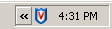
| • 1. Find the VirusScan icon in the system tray at the lower right-hand corner of the screen. |
 |
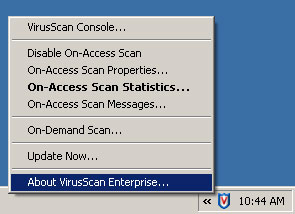
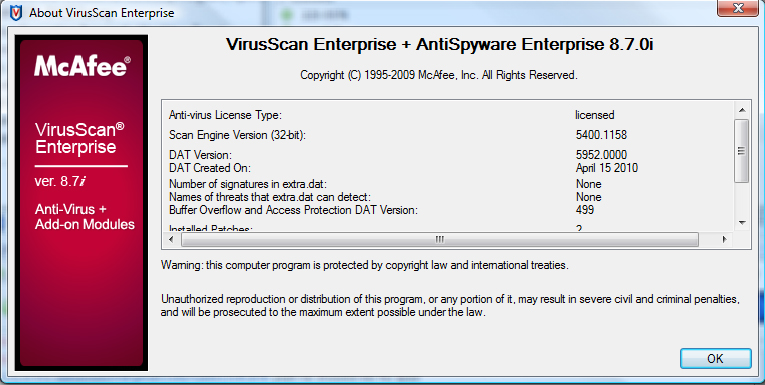
| • 2. Right-click on the VirusScan icon and choose "About VirusScan Enterprise." |
image 2 |
| • 3. If you don't see VirusScan Enterprise 8.7.0i then you need to upgrade. |
image 3 |
| Note: If you don't see the VirusScan icon in your system tray then check the control panel for "Add or Remove Programs" to see if it is installed at all. |
|